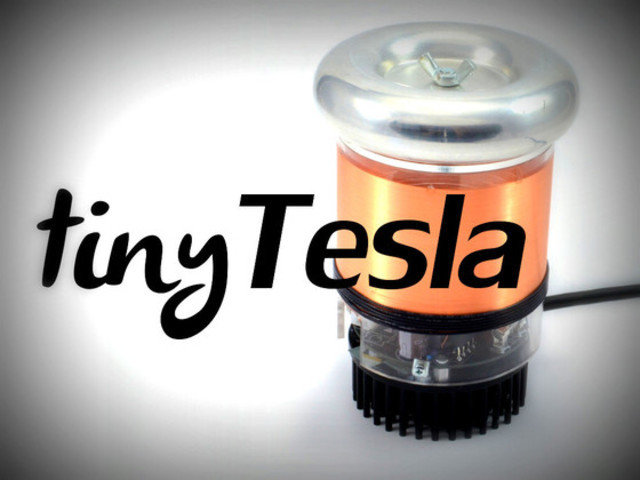
Who should build tinyTesla and oneTesla TS?
tinyTesla is suitable for anybody who can solder. Middle and high school students can build this kit under adult supervision. oneTesla TS is a more complex kit that is suitable for people with at least some experience in electronics. We will ask that all backers agree to our Terms and Conditions (http://onetesla.com/kickstarter-terms-and-conditions). Last updated: Tue, Aug 12 2014 5:24 pm EDT
What are the safety hazards of Tesla coils?
⢠High voltage at high frequency. Never touch the output of a Tesla coil. ⢠High current. The primary side of the Tesla coil has hundreds of amps flowing through it. Never operate a Tesla coil outside of its chassis, and do all power testing hands-off. ⢠Ozone buildup. Ionized air creates ozone, which is an irritant gas. Only use a Tesla coil in a well-ventilated area. ⢠EMI hazard. Radiated energy from the Tesla coil can interfere with nearby electronics. KEEP AWAY FROM THE TESLA COIL IF YOU HAVE A PACEMAKER OR OTHER ELECTRONIC MEDICAL DEVICE. ⢠Ear protection recommended. tinyTesla is not very loud, but oneTeslaTS is. Wear ear protection if you’re in an enclosed space. Last updated: Wed, Jul 16 2014 5:12 pm EDT
Are the kits compatible with 220V for use outside of the United States/Canada/Mexico?
Yes, there is only a one-component difference between the 110V and 220V versions. We can ship internationally. Just remember to add the appropriate amount for international shipping! Last updated: Wed, Jul 16 2014 5:12 pm EDT
How much power does each kit draw?
tinyTesla draws about 150W and oneTeslaTS draws about 500W. Last updated: Wed, Jul 16 2014 5:12 pm EDT
What exactly is included in the tinyTesla kit?
⢠A 3â diameter, round Tesla coil driver PCB, and MIDI interrupter PCB. ⢠All necessary electronic components for assembling the two PCBs. ⢠Pre-wound secondary coil on a clear acrylic laser cut former ⢠Round heat sink ⢠Mounting hardware for the secondary coil onto the heat sink. ⢠A power cable and fiber optic cable for the optical link between the interrupter and the Tesla coil. ⢠An enclosure for the interrupter. Last updated: Wed, Jul 16 2014 5:12 pm EDT
What exactly is included in the oneTeslaTS kit?
⢠A Tesla coil driver printed circuit board, primary resonator circuit board, and MIDI interrupter printed circuit board. Four PCBs also form the chassis sides. ⢠All necessary electronic components for assembling the two printed circuit boards. ⢠Pre-wound secondary coil. ⢠Heat sink. ⢠All necessary mounting hardware. ⢠A power cable and fiber optic cable for the optical link between the interrupter and the Tesla coil. ⢠An enclosure for the interrupter. Last updated: Wed, Jul 16 2014 5:12 pm EDT
How will the final kits be different from whatâs pictured?
The primary windings on tinyTesla will be made of thicker wire to eliminate the corona shown in the video. We may redesign the antenna base for tinyTesla to be slightly sturdier. The oneTeslaTS PCB chassis will have holes in each plate that allow it to be screwed in place. Last updated: Wed, Jul 16 2014 5:12 pm EDT
What equipment do I need to assemble a Tesla coil kit?
You need a good soldering iron, a multimeter, and common hand tools: a small screwdriver, wire cutters, diagonal cutters, needlenose pliers. Youâll also need a small amount of your favorite type of glue. If you build your circuit properly and do not need to do extensive troubleshooting, you will get by fine without an oscilloscope or any sophisticated test equipment. However, itâs recommended to have a scope or access to one if you run into problems. Last updated: Wed, Jul 16 2014 5:12 pm EDT
What kind of music can the Tesla coils play?
tinyTesla and oneTeslaTS play MIDI files. They are both polyphonic, meaning they can play two notes at once. They can’t play full-spectrum audio, but you can use an mp3-MIDI converter to convert your song of choice into MIDI. These conversions aren’t perfect, however, so you may need to tweak your MIDI file later to get your perfect song. Last updated: Fri, Jul 18 2014 9:50 am EDT
How do the add-ons work?
Kickstarter’s reward options are not very sophisticated, so we’ll have to sort out your add-ons with a survey later. To get an add-on, just add the appropriate amount to your pledge. You will specify which options you want later on. Last updated: Fri, Jul 18 2014 9:50 am EDT
Why do I need a replacement parts set?
The replacement parts sets are useful for having the chance to start anew if you run into issues like installing components backwards by accident– classic rookie mistakes everyone is bound to make! Itâs also useful to have a set of replacement parts during troubleshooting, to let you have a known working set of parts if youâre tracing down a bug. They contain the main board and interrupter board, as well as all components to populate them. Last updated: Mon, Jul 21 2014 5:06 pm EDT
What is BackerKit?
BackerKit is a service that crowdfunded project creators use to keep track of hundreds to tens of thousands of backers—from shipping details, pledge levels, preferences and quantities, whether they have paid or had their card declined, special notes, and everything in between!
The BackerKit software and support team is independent from the campaign’s project team—BackerKit does not handle the actual reward shipping. For more information about the preparation or delivery status of your rewards, please check the project's updates page.
How does BackerKit work?
After the campaign ends, the project creator will send you an email with a unique link to your survey. You can check out a walkthrough of the process here.
I never received my invitation. How do I complete the survey?
The most common reasons for not receiving a survey email is that you may be checking an email inbox different from the email address you used to sign up with Kickstarter, Indiegogo or Tilt Pro account, or it may be caught in your spam filter.
Confirm that the email address you are searching matches the email address tied to your Kickstarter, Indiegogo, or Tilt Pro account. If that doesn’t work, then try checking your spam, junk or promotions folders. You can also search for "backerkit” in your inbox.
To resend the survey to yourself, visit the project page and input the email address associated with your Kickstarter, Indiegogo or Tilt Pro account.
How do I update my shipping address?
BackerKit allows you to update your shipping address until the shipping addresses are locked by the project creator. To update your address, go back to your BackerKit survey by inputting your email here.
When will my order be shipped, charged or locked?
That is handled directly by the project creator. BackerKit functions independently of the project itself, so we do not have control of their physical shipping timeline. If you want to check on the project’s status, we recommend reading over the project's updates page.
I completed the survey, but haven't received my rewards yet. When will they arrive?
As BackerKit does not actually handle any rewards or shipping, the best way to stay updated on the shipping timeline would be to check out the project's updates page.